The Docket
Incoming mail sorted into what needs you now, this week, and later, read against your open matters, attachments included.

AI Legal Toolbox adds Nova to Outlook on the web, Windows and Mac. She sits beside the email you are reading, understands it in Australian legal context, and prepares the work for you to approve.
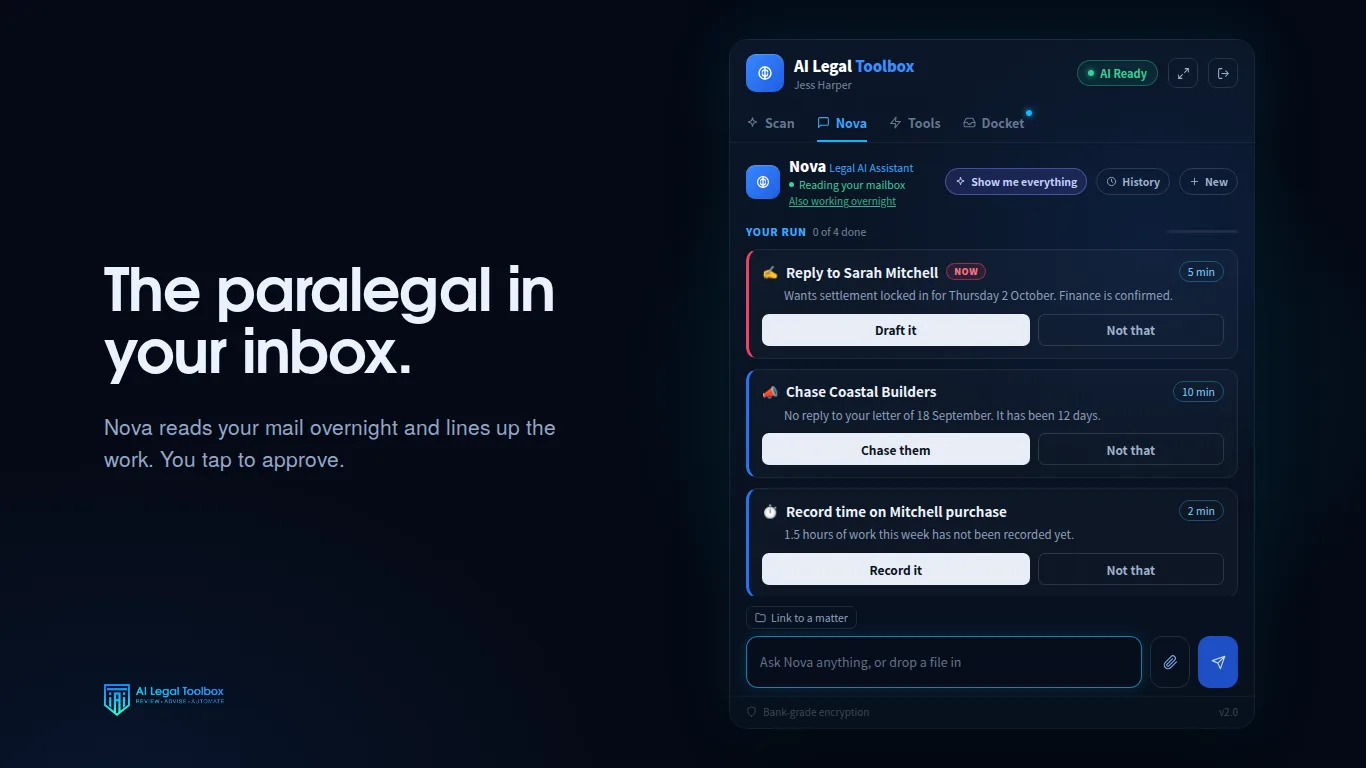
Incoming mail sorted into what needs you now, this week, and later, read against your open matters, attachments included.
Replies are written into your drafts folder. The product has no way to send email on your behalf.
“Who am I keeping waiting?” “Summarise this contract.” “Diarise settlement for Thursday.” No commands to learn.
She learns from correspondence you have approved, so drafts read like you wrote them.
Pin a conversation to a matter and she keeps the context, so you are not re-briefing her every morning.
PDFs, Word files, spreadsheets, images and scans read and summarised, with the unusual parts called out.
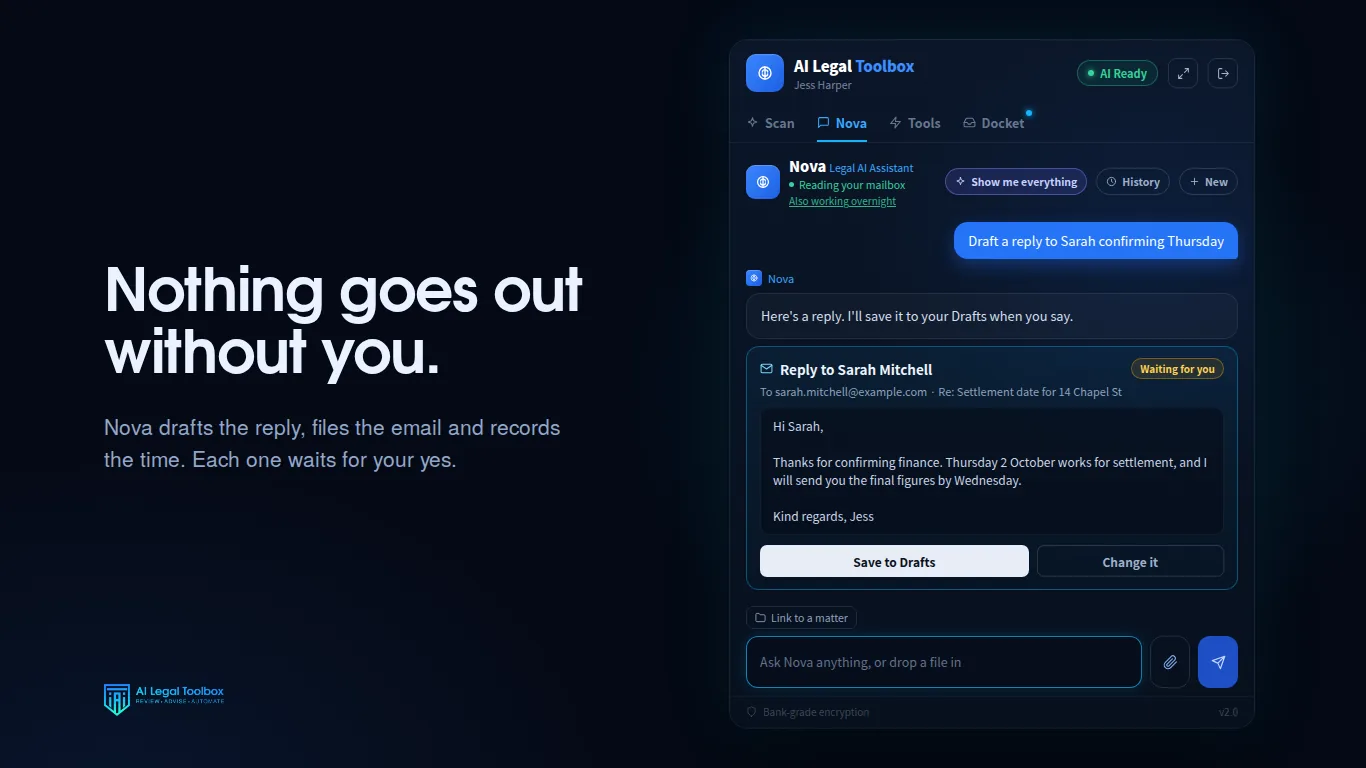
Outlook on the web, Outlook for Windows and Outlook for Mac with a Microsoft 365 work or school account.
No. Replies are saved to your drafts folder for you to send. The send function does not exist in the product.
No. Client material is never used to train or improve a general purpose model.
The application and database are hosted in Sydney. The AI text processing is done by OpenAI in the United States and is not retained there. The privacy policy sets out the detail.
$149 per practitioner per month in Australian dollars, including GST, after a seven day free trial.
Seven days free, on your real correspondence. $149 per practitioner per month after that, including GST, with no setup fee and no minimum term.
Request a trial