Who is waiting on you
Ask what needs you today and Nova lists it in order: the client who has written three times this week, the letter from the other side that has not been answered, the document that still needs filing.

A family law inbox is heavy reading. Clients write at length and often, the other side's solicitors want answers, and the documents keep coming. Nova reads it all, tells you what needs you first, and has a reply ready for you to check.
Rather we set it up with you? Book a 15 minute set-up call.
Available on Microsoft AppSource for Outlook on Windows, Mac and the web
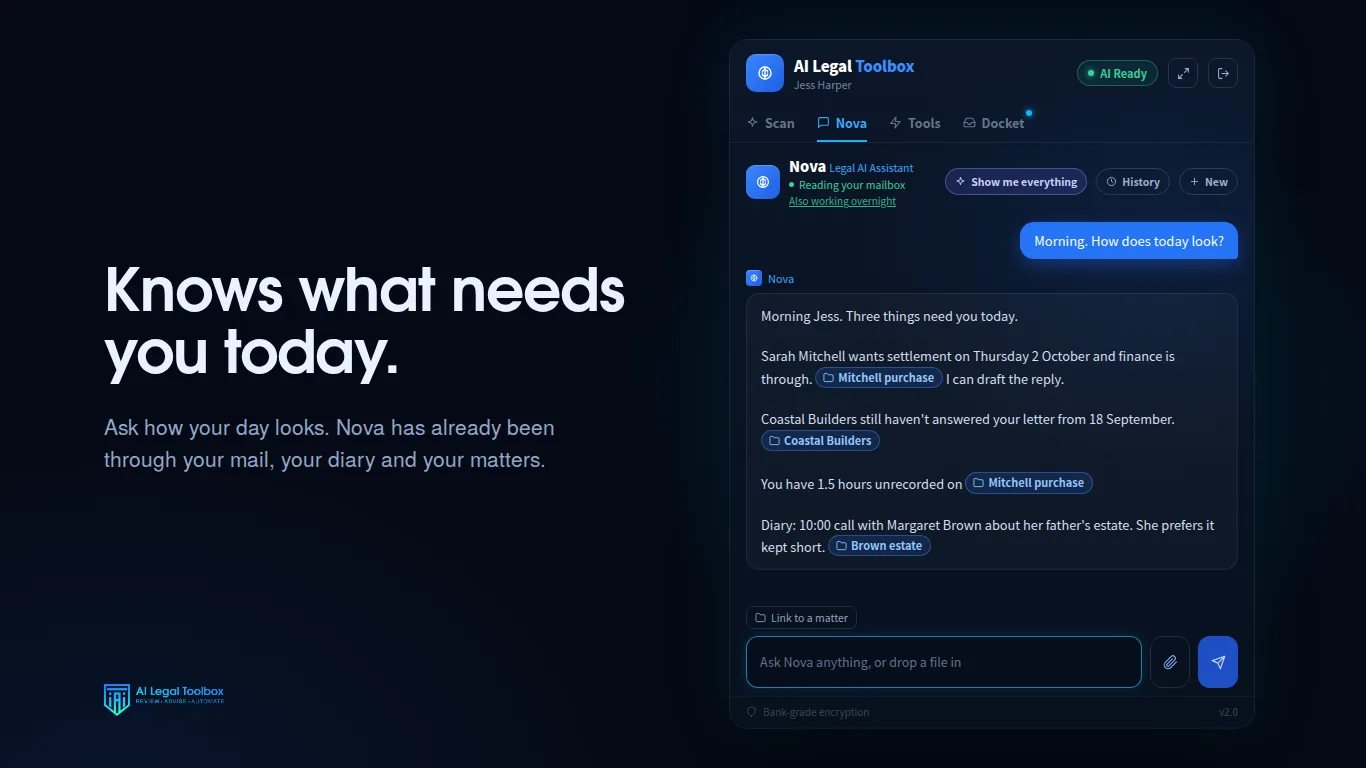
Ask what needs you today and Nova lists it in order: the client who has written three times this week, the letter from the other side that has not been answered, the document that still needs filing.
A client's four page email becomes a few lines: what they are asking, what has changed, and what they need from you. The full email is one tap away.
Nova drafts the reply in your register and saves it to your Outlook drafts folder. You read it, soften or sharpen it, and send it yourself.
Bank statements, payslips, valuations and scanned letters are read and summarised, so you know what arrived before you open each one.
Tell Nova once that a client prefers email to calls, or only wants contact after 5pm, and she keeps it with that client, dated and private to you.
On Smokeball, file the email to the matter and record the time in the same place, each step waiting for your confirmation.
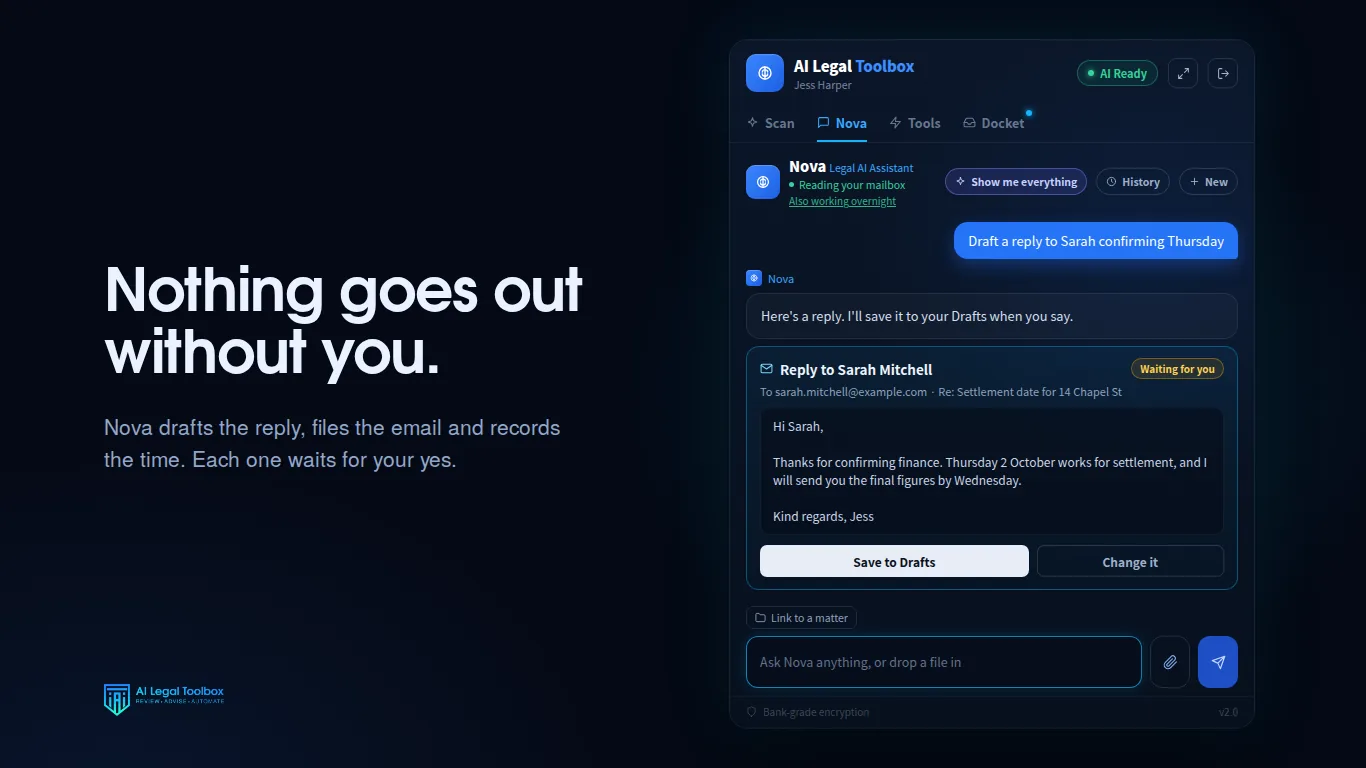
Family law correspondence is sensitive, and a reply in the wrong tone can cost a client's trust or inflame the other side. That is why every reply Nova writes lands in your drafts folder and nowhere else. Filing, time entries and calendar entries are shown to you first and only happen after you confirm, and every confirmed action is logged.
Your correspondence is hosted in Sydney and is never used to train AI models. The detail is on the facts page.
No. Replies are saved to your Outlook drafts folder. You read, change and send them yourself.
No. It prepares work for a qualified practitioner to review. It does not provide legal advice.
No. Client correspondence is never used to train AI models. The application and database are hosted in Sydney, and AI text processing by OpenAI in the United States is not retained there.
Start with 7 days free, then $149 per practitioner per month, including GST, with no setup fee and no minimum term. Cancel any time. Rather not do it yourself? We will set it up with you on a 15 minute call, on your own correspondence.